Engineering Portal
Account, missions, and plan
Account in the top bar opens the Engineering Portal: your cloud missions, trial or plan, and preferences. Mission returns to the Design workspace.
Open Web App · Trial details: Account and access
Sections
| Section | What you do there |
|---|---|
| Overview | Snapshot of the account, trial remaining, shortcuts |
| Missions | Cloud library — open, save, delete (within your quota) |
| Plan & billing | What your plan includes; upgrade when you need more |
| Preferences | Theme, workspace defaults, legal agreements you accepted, privacy & cookies |
| Security | Account basics |
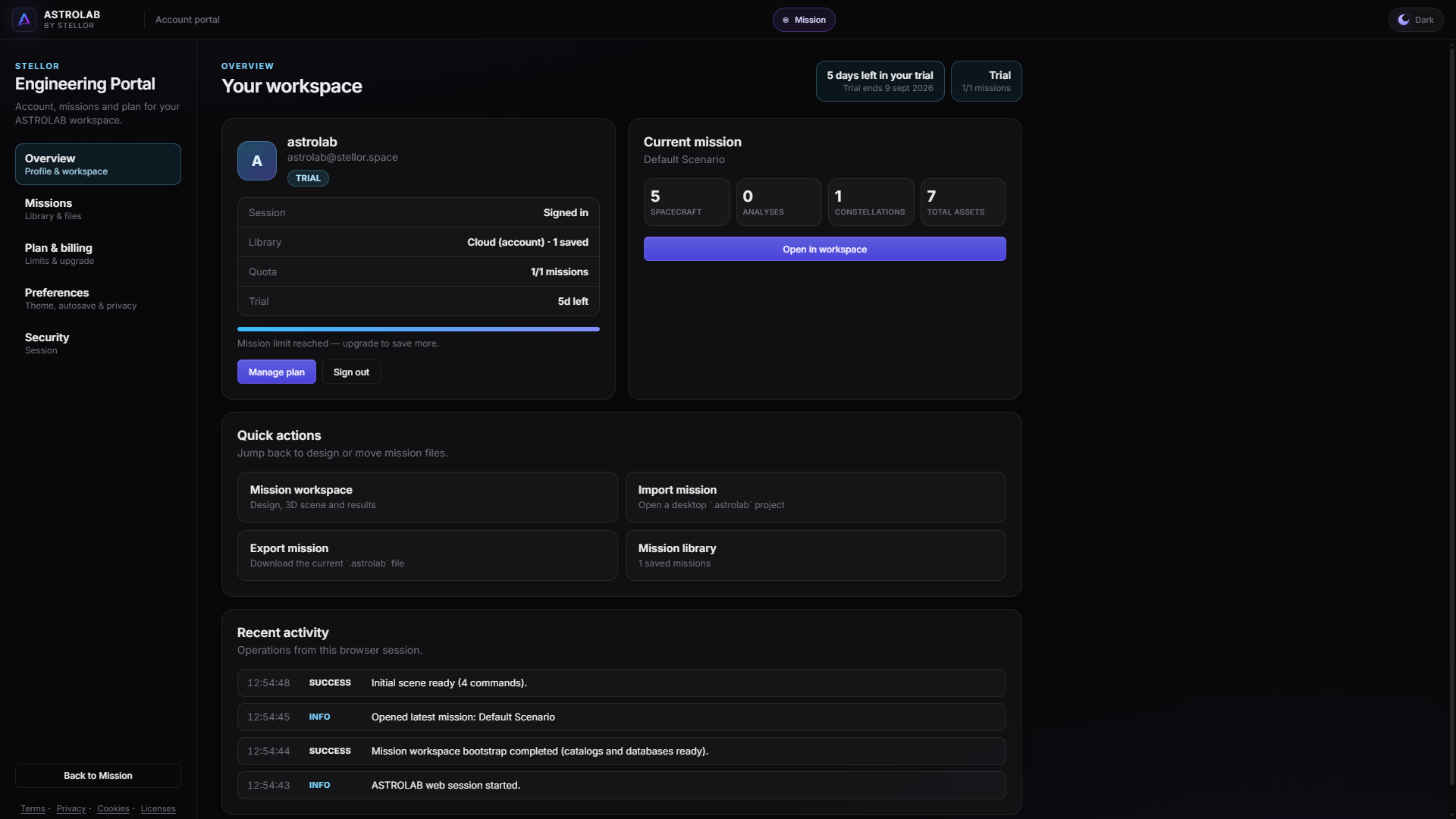
Engineering Portal — overview and mission library.
Cloud library
- Open a mission to make it the active workspace.
- Trial typically allows one cloud mission. Export
.astrolabanytime as a file backup. - Deleting a cloud mission cannot be undone; export first if you still need the file.
- Workspace Save / Open / Export (top bar) apply to the active mission. Move a file to Desktop: Platforms.
Legal agreements
Preferences shows Trial Evaluation Agreement v1 (the live clickwrap version), when you accepted it, and links to the published documents (Terms, Evaluation, Privacy). Git freeze of each version: clickwrap archive.
This documentation is not the contract. See Legal and evaluation terms.