Connection network
Declared mesh, then access on each edge
A connection network is the operational graph: which nodes are allowed to talk. After you declare edges, a run computes geometric access on each edge. Routing, Latency, and ISL routing (Coverage command / Latency dump) do not invent contacts — they walk these windows.
This is not a one-off Link pair. It is the architecture: bent-pipe, ISL mesh, or hybrid.
Plan cap for how many networks you may add is separate from other analyses.
When to use
| Use a Connection Network when… | Prefer something else when… |
|---|---|
| You will run Routing, Latency, or Coverage ISL command | One pair only → Link |
| ISL meshes (buses or +V/−V laser sensors), several gateways, bent-pipe | Area metrics only → Coverage |
| Constellation All Satellites / All Sensors or a ground network All Stations as a graph node | You are still closing a single RF hop |
How to build it
- Add the analysis; name it.
- Under Connections, add rows From → To. Ends can be spacecraft, vehicles, facilities, targets, sensors (ISL terminals or a dump antenna), constellation All Satellites / All Sensors, or a created ground network {name} - All Stations.
- Analysis Interval and Access Computation (same modes as Coverage: Fast, Balanced, High Accuracy, Custom).
- Apply Changes, then Run Analysis. Aggregates expand to members (Walker satellites, or every facility that still shares that
catalog_network); every concrete pair on an edge is tested. - Drawing an edge does not bypass constraints (elevation, eclipse, …).
Sensors as ISL / dump terminals
Put a sensor on a Connection Network row when that asset is the antenna or laser: its FOV, mount and constraints define the access windows. Routing, Latency dump, Coverage command ISL, and Static Session do not keep that sensor as a graph node. They collapse it to the parent spacecraft.
Typical split on one satellite:
| Asset | Role | What it contributes |
|---|---|---|
| Nadir imager | Coverage only (continuous swath or discrete tasking) | Acquisition data rate and imaging FOV. Leave it off the CN. |
| +Velocity / −Velocity lasers | CN rows, sensor↔sensor (or All Sensors) | Geometry and constraints for ISL. Each laser is its own radio: Max. Concurrent ISL Links is per terminal. |
| Larger dump antenna | CN row sensor↔facility | Geometry and constraints for X-band. Those windows are unioned on the parent dump. Rate and MMFU stay on the bus. |
Rates that size a hop stay on the spacecraft COMM (ISL Data Rate, Downlink Data Rate, radios, MMFU). The imaging sensor keeps only Acquisition data rate for Coverage / Latency produce. There is no sensor→bus transfer hop.
You can still draw spacecraft↔spacecraft and spacecraft↔facility rows. Then Max. Concurrent ISL Links is the spacecraft total, as before.
The 3D Connection Network still draws the sensor pairs you declared. The contact plan that Routing, Latency and command ISL walk is bus↔bus and bus↔facility.
Example — one bus, four sensors
SAT-01 flies a nadir camera, a +V laser, a −V laser, and an X-band dish.
- Coverage (Continuous or Discrete tasking) lists the nadir camera.
- Connection Network rows, for example:
+V-01 → +V-02,−V-01 → −V-02,Dish-01 → Svalbard. - Run the CN. Access uses each laser cone and the dish constraints.
- Routing / Latency / command ISL see SAT-01. +V can talk to a neighbour ahead while −V talks aft (
max ISL links = 1on each). The dish windows are the dump to Svalbard.
The camera does not need a CN row. Once the lasers put SAT-01 on the network, that imager is an eligible Latency acquirer. Worked dump/command story: ISL routing — two lasers and a dump dish.
Keep the graph small: every edge is an access computation over the whole interval. One row All Satellites → {network} - All Stations still expands to every satellite–station pair.
| Pattern | Typical edges |
|---|---|
| Bent-pipe | Spacecraft or dump-antenna sensors → facilities; no ISL |
| ISL mesh | Spacecraft–spacecraft, or laser/antenna sensors on each bus, plus downlinks |
| Hybrid | Sparse ISL + several gateways |
Drawing an edge does not grant contact. Routing, Latency dump, and Coverage command ISL only walk windows that actually exist.
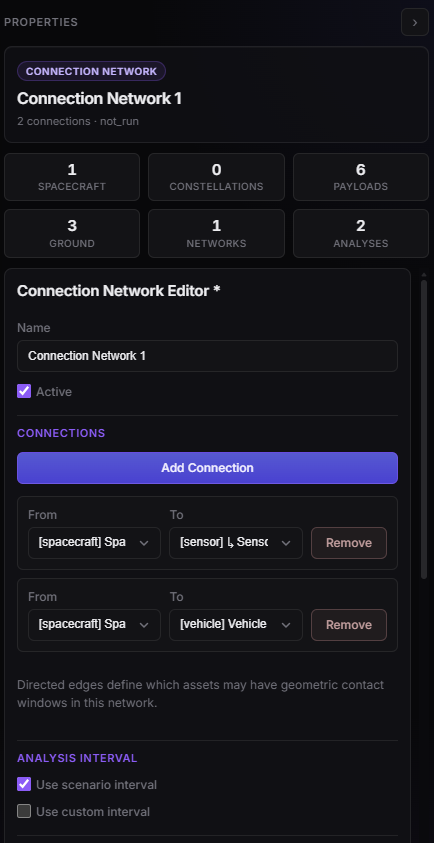
Connection network — from/to rows and sampling step.
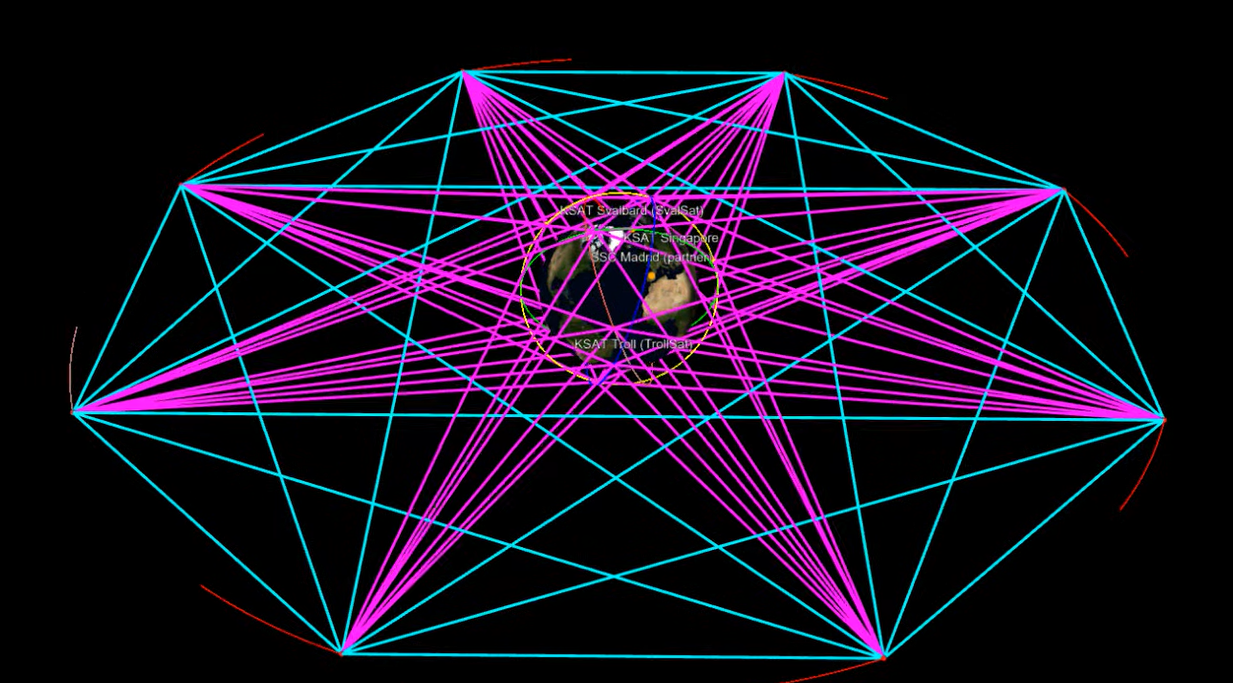
Design — access lines on declared edges after Run.
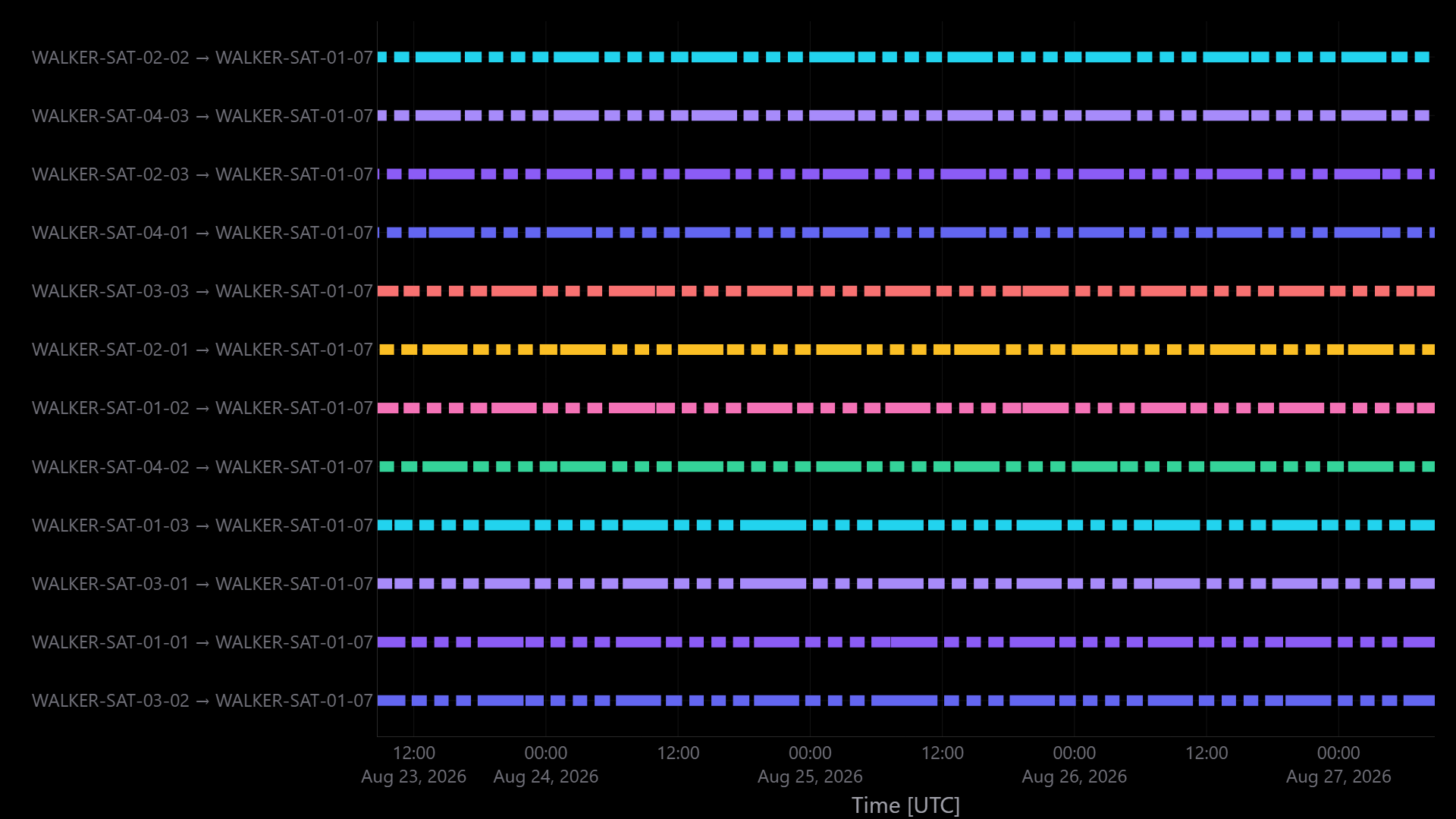
Dashboard — access windows on each declared edge.
After Run
Apply Changes redraws stored graphics. Run Analysis recomputes after topology or Access Computation / interval changes. Dependent Routing and Latency studies become stale when the network changes. Coverage ISL command reads this network at Coverage run time — re-run that Coverage after a new CN if you opted into CGR command.
Need both From and To set; self-loops only for constellation aggregates with at least two members. A ground-network aggregate cannot connect to itself.
Empty lines: horizon, elevation, eclipse, inactive nodes, or an edge that was never geometrically true in the interval. Drawing the edge does not grant contact.