Sensors
Asset reference
Concept
A sensor models an instrument with a field of view (conical or rectangular) mounted on a parent body. Coverage and many imaging-style questions ultimately ask whether the sensor’s boresight/FOV can see a ground point or event under pointing and constraint rules.
Sensors inherit parent motion (spacecraft orbit/attitude or vehicle path). Pointing modes (body-fixed, scanning, conical spin, targeted) describe how the boresight moves in the parent frame. Always set parent + FOV before expecting meaningful Coverage results.
When to use
| Use a sensor when… | Prefer the bare spacecraft when… |
|---|---|
| FOV, swath, or instrument pointing drive the study | Bus-level access without an instrument model is enough |
| Coverage acquirers should be instruments, not the whole bus | You are still wiring the first LEO demo |
Generic
| Parameter | Type | Default / options |
|---|---|---|
| Name | text | — |
| Parent asset | select | Mountable: spacecraft, facility, vehicle |
| Active | checkbox | — |
| Type | select | Optical, SAR, Thermal, Radar, Lidar, Magnetometer, Star Tracker |
| Color | color | #FFFF00 |
| Show sensor swath | checkbox | off |
| FOV type | select | Conical / Rectangular |
| Half angle [deg] | decimal | 30 (conical) |
| Half width / height [deg] | decimal | 30 / 30 (rectangular) |
Boresight is +Z in the SENSOR frame.
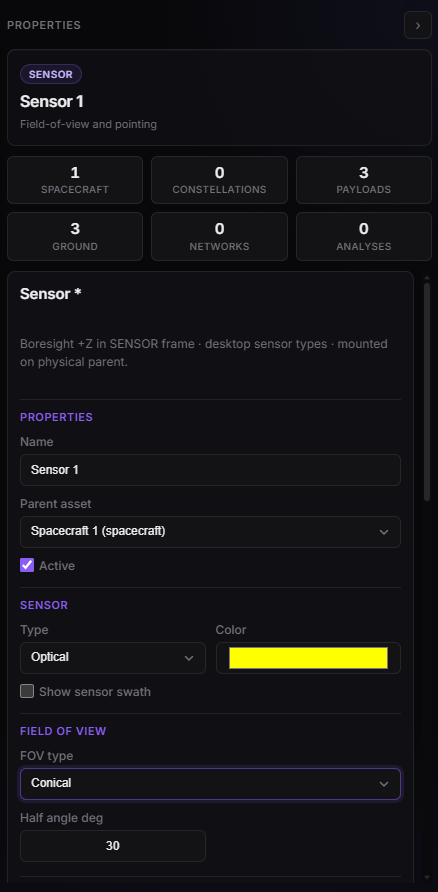
Sensor Properties — parent, type, FOV (conical half angle).
Performance
Fields under Performance depend on Type. Changing type resets those defaults. Optical (the usual imaging case) includes:
| Field | Default |
|---|---|
| Aperture [m] | 0.15 |
| Focal length [m] | 1.2 |
| Wavelength [µm] | 0.55 |
| Pixel pitch [µm] | 10 |
| Integration time [s] | 0.001 |
| Quantum efficiency | 0.6 |
| Detector noise [e] | 50 |
| Surface radiance [W/m²/sr/µm] | 0.12 |
| Optical transmission | 0.85 |
| Atmospheric transmission | 0.75 |
| Target reflectance | 0.3 |
Acquisition data rate (default 80 Mbps) is the sensor COMM produce rate. When Coverage’s acquirer is this sensor, Latency uses this rate — not the parent bus Acquisition data rate. Bytes still land in the parent spacecraft MMFU.
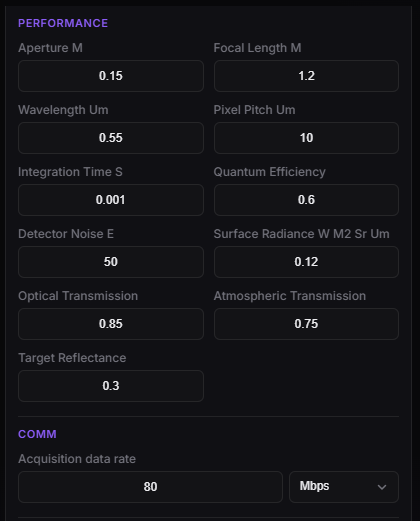
Sensor — Performance (Optical) and Acquisition data rate.
Pointing
Mount offsets, Euler sequence, and pointing mode (Body-Fixed, Scanning, Conical Spin, Targeted + fallback) follow the shared Mounted assets model.
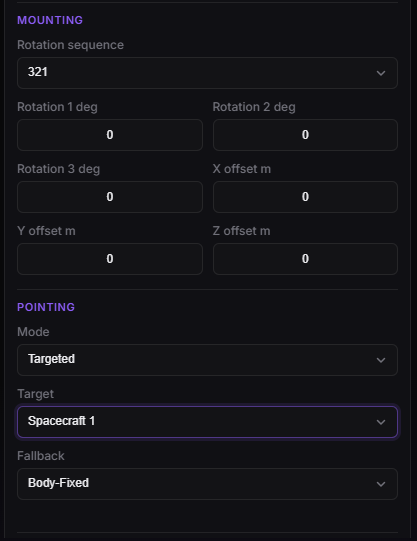
Sensor — Mounting and Pointing (Targeted + fallback).
Plan limits
sensorPerParent may block additional sensors at creation time.