Vehicle
Asset reference
A vehicle is a platform that moves on or above the Earth along an explicit waypoint path — aircraft, UAV, or a ground route used with the space segment.
Unlike a spacecraft, it does not use an orbit propagator. It interpolates geodetic waypoints with a speed- or time-tagged method and a simple attitude relative to velocity. Mount sensors or RF children when you need a mobile participant in Link or a connection network.
Add from Mission Tree → Vehicle. Apply Changes after edits.
Generic
| Parameter | Type | Notes |
|---|---|---|
| Name | text | Display name |
| Active | checkbox | When off, skipped on scene refresh |
| Show trajectory | checkbox | Path polyline in Design |
| Initial UTC | datetime | Must lie inside the scenario window |
| Color | color | Marker / path (#00FFFF typical) |
| 3D model path | text | Optional GLB; empty uses the bundled GlobalHawk-style model |
| Method | select | Speed defined / Time defined |
| Attitude | select | Velocity + local Up · Velocity + radial · Velocity + nadir |
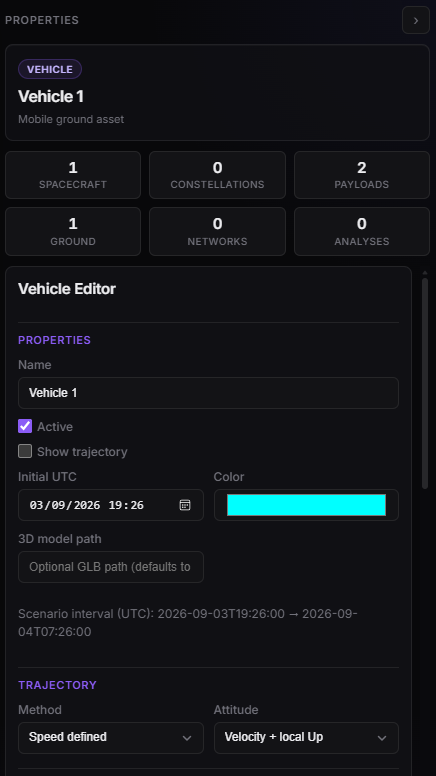
Vehicle Properties — name, color, model, method, attitude.
Waypoints
Need at least two. Segment i → i+1 uses the speed or time on row i.
| Parameter | Type | Notes |
|---|---|---|
| Latitude [deg] | decimal | |
| Longitude [deg] | decimal | |
| Altitude [m] | decimal | Height above the ellipsoid |
| Speed [m/s] | decimal ≥ 0.1 | When method = Speed defined |
| Time [s] | decimal ≥ 1 | When method = Time defined |
The default seed is two waypoints (high-altitude example, speed on the first segment). Add waypoint / Remove waypoint (you cannot drop below two).
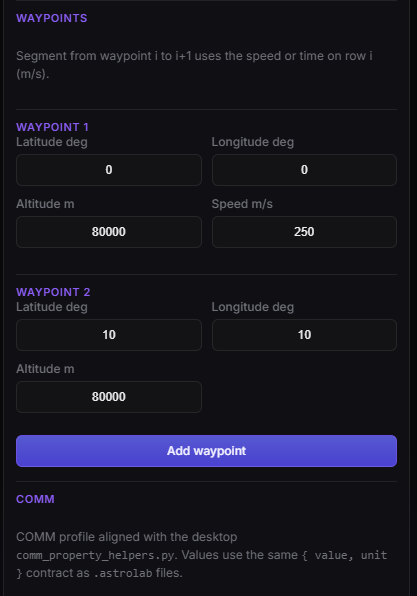
Vehicle Properties — waypoint table (lat, lon, alt, speed or time).
COMM and constraints
COMM is the same bus profile as the spacecraft COMM tab (MMFU, acquisition / downlink / ISL Data Rate / uplink, Max. Concurrent ISL Links, Downlink Links and Uplinks, grouped by link with an (i) help). How Latency reads those fields is documented on Spacecraft — COMM — vehicles do not need a second copy.
Constraints use the same catalogue as spacecraft (Enabled + parameters, Add constraint / Remove).
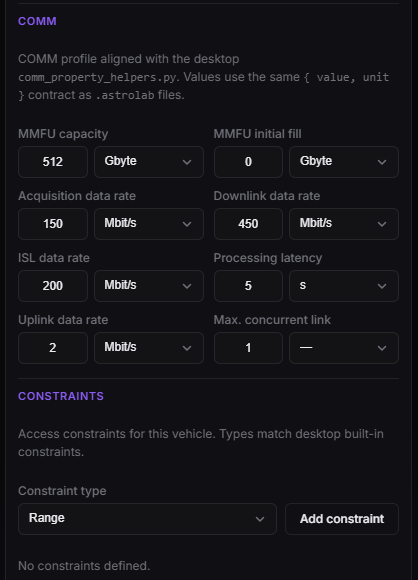
Vehicle Properties — COMM.
In Design
Right-click the vehicle on the globe to Follow (same idea as a spacecraft). While you follow, the cyan marker hides and the 3D mesh is meant to appear. The default camera sits at spacecraft range (thousands of kilometres), so scroll-zoom in until the model fills the view. If the clock is outside the waypoint path, there is no pose to follow — move playback onto the route.
Allowed children
sensor · antenna · transmitter · receiver