Tutorial — Network, routing & latency
Goal: declare a connectivity mesh, find the best multi-hop route, and estimate acquisition-to-delivery delay.
Dependency chain
flowchart LR
  Cov["Coverage"] --> Lat["Latency"]
  CN["Connection Network"] --> Route["Routing"]
  CN --> Lat
  CN --> ISL["ISL CGR"]
  Cov --> ISL
Lat --> ISLSteps
1. Build the mission
- Spacecraft or Walker constellation.
- One or more facilities (gateways).
- Optional: Coverage (Discrete is natural for latency traffic).
- Apply + refresh.
2. Connection Network
- Add a Connection Network (own plan pool).
- Declare edges, e.g. constellation aggregate → facility, and optional ISL edges. Ends may be sensors used as lasers or a dump antenna: access uses their FOV; Routing / Latency / command ISL collapse them to the parent satellite. Each laser is its own ISL radio; dump windows on one bus are unioned. Leave the nadir imager on Coverage. Example: two lasers and a dump dish.
- Set sampling step; Run Analysis.
- Confirm edge access windows / scene lines.
Figure placeholder
Connection Network edge list
Save as
Save as
docs/resources/images/tutorials/connection-network.png
3. Routing
- Add Routing Analysis; select the network.
- Choose the source (pick a member if it is a constellation) and check one or more targets.
- Choose the criterion (shortest path, fewest hops, fastest file or CGR), time step and file size; Run.
- The best route appears in 3D over the Connection Network, in the route colour and width.
- In Reporting, open Routing Summary, Target Usage and the Route Timeline.
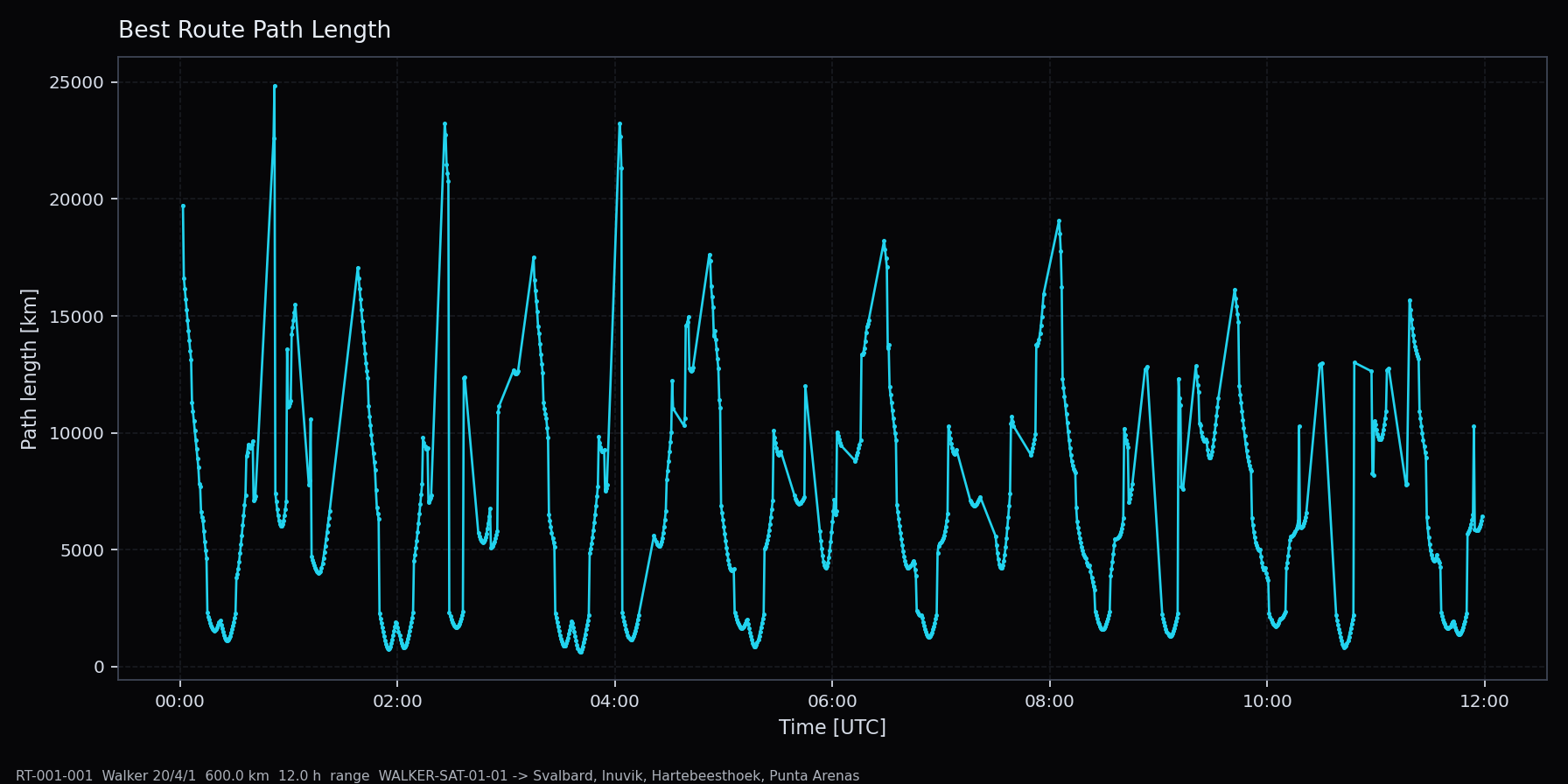
Best-route path length vs time after Run — the same Dashboard plot as in the web app.
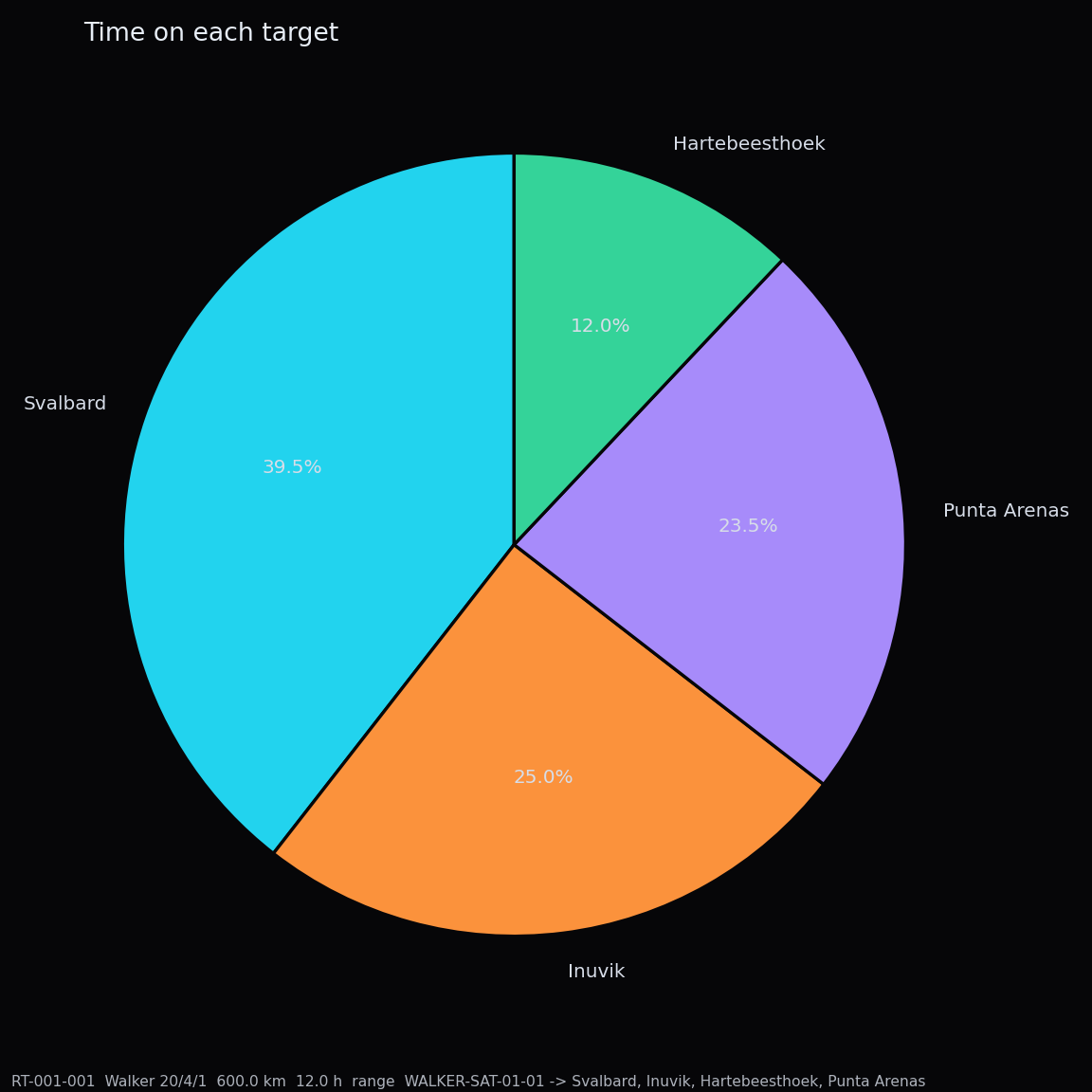
Target Usage — which station the best route ends at, and for how long.
4. Latency
- Add Latency Analysis.
- Point it at the Coverage product and the Connection Network (per editor fields).
- Configure payload / traffic model.
- Policy Direct downlink (default) or ISL (CGR earliest delivery). Hop count is a tie-break inside CGR, not a field you set.
- Run and generate latency ReportGraph products.
Coverage Discrete facility tasking can opt into the same CGR planner for the command (T0→T1). That is independent of the Latency dump policy. ISL routing.
Checkpoint
- CN: non-empty edge windows
- Routing: a best route for part of the interval (or a clear reason for none — missing edges, no access, directionality)
- Latency: delivery statistics after Coverage + CN succeed